Posts

Showing posts with the label kitkat

Zenfone How to Root Zenfone 5 and Zenfone 6 Kitkat 4 4 2

Image
Originally Posted By Shakalaca Credit to him for making this useful tutorial New Update: RootZenfoneKitKat v3 Tutorial Here   Previously mentioned can be packaged on a PC running the program on ZenFone 5/6 KitKat version root, these days, spent some time packing Well, here with some simple instructions hope to help the less likely operating adb and fastboot . Of course there is some pre- work was first performed , the computer (Windows series ) must first install Intel s USB driver for Android devices , because of copyright issues can only provide links to download the installation. Also, if the developer does not know how to open the menu in Android and enable USB debugging , you can also install using PCLink time to achieve the same effect. If there Bluestacks or executive class Genymotion the Android emulator , please remember to turn off , so as not to affect the ROOT program . ZenFone 5 KitKat ROOT 包: Link: ht...

International LG G2 won’t be getting Android KitKat this month

Image
It turns out that the international version of the LG G2 might not be getting an update to Android 4.4 KitKat this month. In a new tweet, LG Mobile Saudi Arabia apologized for releasing wrong information earlier today. We apologize for the previous wrong tweet regarding G2 Kit Kat upgrade schedule,the date was for upgrading the KnockOn feature to Lii series — LG Mobile Saudi (@LGMobileSaudi) January 15, 2014 Instead of Android 4.4 KitKat for the company’s smartphone flagship, LG Mobile Saudi Arabia announced that the popular Knock feature will make its way to the second generation of L Series smartphones. This is hardly a surprise as LG officially announced the upcoming feature late last month. All in all, users of the international LG G2 will probably have to be a tad more patient before they get the KitKat treatment. In the meantime, this walkthrough video of Android 4.4 on LG G2 should give them a taste of what’s coming.

HTC One Google Play Edition starts receiving Android 4 4 KitKat update

Image
HTC One Google Play Edition starts receiving Android 4.4 KitKat update Following reports of people in India starting to receive the Android 4.4 update on their Nexus 4 smartphones and Nexus 7 3G tablets, HTC has also released the update for its HTC One Google Play Edition smartphone.HTC has gradually started to roll out the Android 4.4 KRT16S update for the HTC One Google Play Edition globally. The 305MB update should be available over the air, and users also have the option to download it manually. Earlier, we had reported that the HTC One GPE will get its Android 4.4 KitKat update by in November-end, however there was no confirmed date then. Now users who have received the update are reporting noticeable improvement in performance. The update also brings the new ART runtime, which reportedly still has some way ...

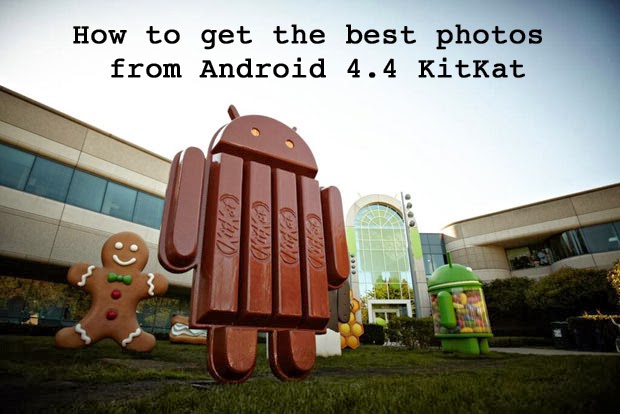
How to get the best photos from Android 4 4 KitKat

Image
Get your hands on the stock version of Android 4.4 KitKat and youll find theres a new camera app for recording your life on the move. Its not a revolution in photo-snapping technology, but there are some neat new features that you should make yourself aware of. Weve also covered a few of the options that have been carried over from 4.3 that you might not know about. If youre using 4.4 KitKat on a Nexus 5, check out our review too. You can launch the camera from the apps page or by swiping right on the lock screen. 1. HDR+ your life The headline feature in the new camera app is the HDR+ mode, which gives you a better colour and saturation balance in return for a few milliseconds extra lag (as the camera takes several snaps that it can then combine). Tap the settings circle in the app and youll find the HDR+ option over on the left. Its certainly not the option to reach for if youre trying to take a quick snap, but if you have time to compose your picture you can get more impress...

How to remove Hangouts and more Android 4 4 KitKat apps

Image
Perhaps youve treated yourself to a brand new Nexus 5, or youre eagerly awaiting the moment when the latest flavour of Android hits your handset. However you get hold of Android 4.4 KitKat, youll notice some new features to get to grips with -- if theyre not all to your taste, heres how to undo the changes Google is keen to force upon you. 1. Replace Hangouts as the default SMS app Hangouts is now Googles all-encompassing messaging solution, covering Web chats, SMS and MMS. Much like iMessage, however, the experience is not quite as smooth and user-friendly as it should be. This being Android, you can set any app you like as the default SMS handler. First of all, download a new app from Google Play -- Chomp SMS and Handcent SMS are two of the most popular choices, but there are plenty to pick from. Next, choose your default app from Settings > More > Default SMS app -- Hangouts will gracefully relinquish its text messaging duties and stick to instant messaging in...

How to Root Asus Zenfone 4 KitKat

Image
Root Asus Zenfone 4 KitKat - After update to KitKat firmware on Asus Zenfone 4, maybe you are wondering to root your Zenfone 4. This time you do not need to be confused anymore Asus Zenfone Blog will share How to Root Asus Zenfone 4 KitKat . Preparing Tools : Intel USB Driver for Android ( Download Here ) File Root Zenfone 4 ( Download Here ) How to Root Asus Zenfone 4 KitKat DWYOR (Do With Your Own Risk) Install Intel USB Driver in PC / Laptop Extrack File "Root_Vx_Zenfone 4_T001.rar" to  C:/Program Files /Intel Android Device USB driver Enable USB Debugging (Tutorial Here ) Turn off your Zenfone Go to Droidboot / Fastboot Mode (pressing power + volume up) Connect your Zenfone with USB Cable to your PC/laptop Open Folder which Root file located, Click "OPEN.CMD" Check connection by type adb devices if connection successful will be a list of Zenfone device Type fastboot flash update root_zenfone4_v2.zip  press Enter Wait until restart and Installation p...

Download RootZenFone KitKat V3

Image
  [Download] RootZenFone KitKat V3    RootZenFone KitKat V3  is the latest version of RootZenfone that in for by Shakalaca (thanks to him) . RootZenFone KitKat V3 is specifically made to function and can be used to rooted on Asus Zenfone KitKat, please Download RootZenFone KitKat V3. ==> Donate to Shakalaca for his work <== The main improvement in some cases: Asus Zenfone 5 is split into three programs (WW / TW / CHT), in accordance with its own version of the phone can download the corresponding toolkit. Asus Zenfone 6 is split into three programs (WW / TW), in accordance with its own version of the phone can download the corresponding toolkit. Most have a beginning of the script file set SkipUpdateBootloader=YES, If you hit in the process  FAILED (remote: not allowed to update unsigned image on secure device) No condition ROOT amended OTA update when the first boot. Detailed instructions, please refer to the original:  Ho...

Android Kitkat 4 4 Coming To Nexus 7 And 10 Today

Image
Googles Android KitKat 4.4 is already in the wild for a couple of days now and was shipped with Nexus 5.  However, Google just announced that Nexus 7 and Nexus 10 users would get their own KitKat 4.4 upgrade today when the OTA update starts rolling out. Google further states that only WiFi - only 7  inch slates would be getting the KitKat 4.4 update and those with the mobile data version would have to wait yet a little longer. At this time, there is no word on when Android 4.4 would be available for other Nexus devices but perhaps in the very near future.